
Your customers’ revenue potential doesn’t end at sales. Cross-selling and upselling will help you tap into aftersales revenue. Aftersales represents 20% of the automotive industry’s revenue and is its most profitable segment. We know that profitability is under pressure; so, you must seek out additional sales opportunities. Now you can do it even if the customer isn’t physically at your dealership. We created the Campaign Module in the ConnectedWorkshop, to give dealerships an easy tool to upsell with powerful marketing campaigns. Read on to discover how easy it is to reach your customers with personalized offers.
How to launch a campaign step by step
Through the Campaign Module, your ads go directly into customers’ pockets via MyConnectedCar. You can create specific customer segments based on vehicle age, brand, etc., and create targeted campaigns for them. To use the tool, you must be assigned as a campaign manager.
First, click ‘Create campaign.’ A section will appear where you can select campaign-permitted workshops. By default, all your workshops are permitted.

Then, name your campaign specifically to get a better overview of your various campaigns’ content and targets. You can also choose whether the campaign should contain a link in case you want to send customers to a campaign landing page.

Next up, create engaging and personalized messaging for your target audience.
Add a segmented target audience
In ConnectedWorkshop, you have access to different segments of the audience that fit your campaign goals. Select your preferences to create a segment.

Write engaging content for your campaigns
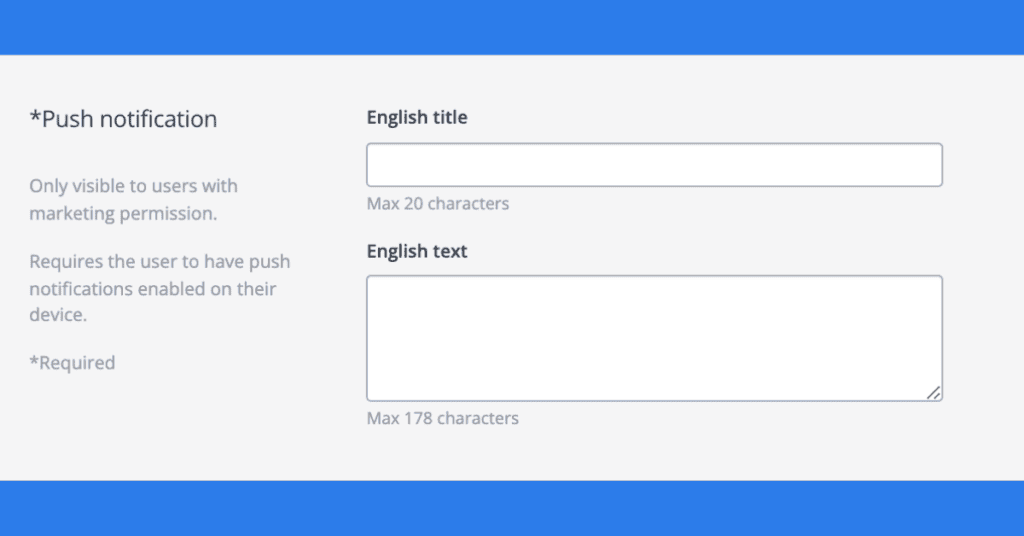
First off, create the title and content of the push notifications that your customers will receive if their phone allows notifications.
Add the title and content for the notification feed that users will see in MyConnectedCar.
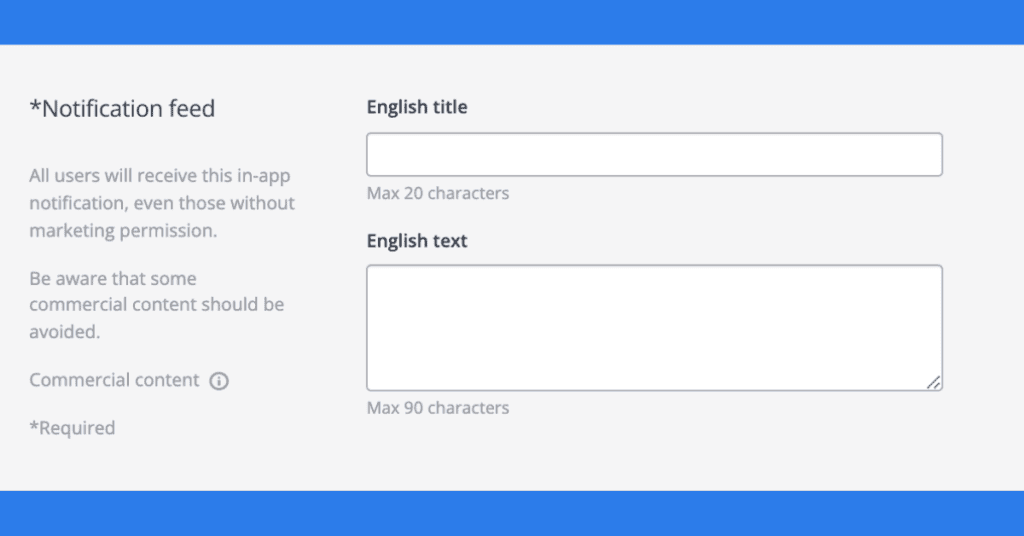
Lastly, make sure that your content contains only approved products, with your local marketing laws in mind.
If you’re happy with the content, make sure to save it.
Test your campaign
Always test your campaign before releasing it to ensure that it has the desired effect on your customers. Find the campaign you want to test first in the Campaigns overview and click ‘Test’.

Publish it!
Before publishing it, preview the campaign as seen by customers. You have the option to change the content by clicking the ‘Edit’ button. When you are satisfied with the content, click ‘Send a campaign’ to publish it. It will then appear on customers’ phones, so expect more customer engagement and higher customer retention!
